Cloud accounting and ERP

Run your whole business from one place

FintrixERP keeps your customers, suppliers, bank, stock and assets in one set of books, in USD and ZiG, with the approvals that keep your money safe.

Hosted on Microsoft Azure · Sign in with your Microsoft account · Works on any phone

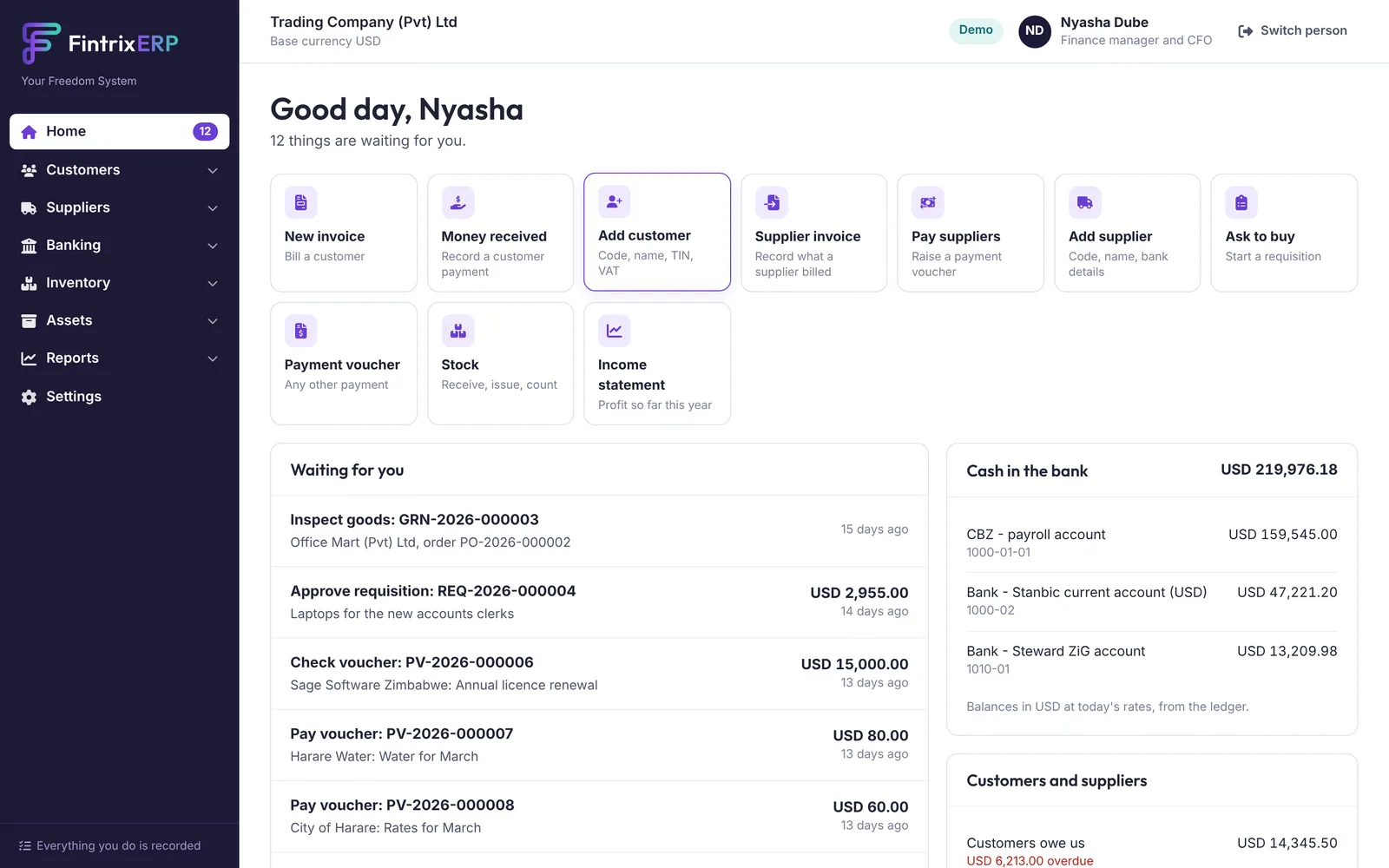
The FintrixERP home page: shortcuts, tasks waiting for approval and cash in each bank account

Everything connected

Every part of the business, posting to one ledger

Nothing is typed twice. A sale updates the customer, the stock and the books at the same moment.

Customers

Proforma invoices, sales orders, tax invoices, debit and credit notes, receipts, statements and ageing.

Suppliers

Requisitions, requests for quotation, purchase orders, goods received, supplier invoices and payment vouchers.

Banking

A cash book for every account, receipts, payments, transfers between currencies and bank reconciliation.

Inventory

Goods and services with their own accounts, several stores, weighted average cost and approved stock counts.

Fixed assets

An asset register, monthly depreciation posted in one step, and disposals.

Reports

Trial balance, income statement, balance sheet, account ledgers and a live dashboard.

Quote to cash

Invoices that look like yours and prove they are genuine

Proforma→Sales order→Tax invoice→Receipt→Statement
  • Your logo, letterhead and banking details on every document.
  • Your own document names and numbers, such as KMC-PO/2026/0011.
  • A QR code on each document, so anyone can check it came from your system.
  • Credit limits checked as invoices are issued; overdue balances on the home page.
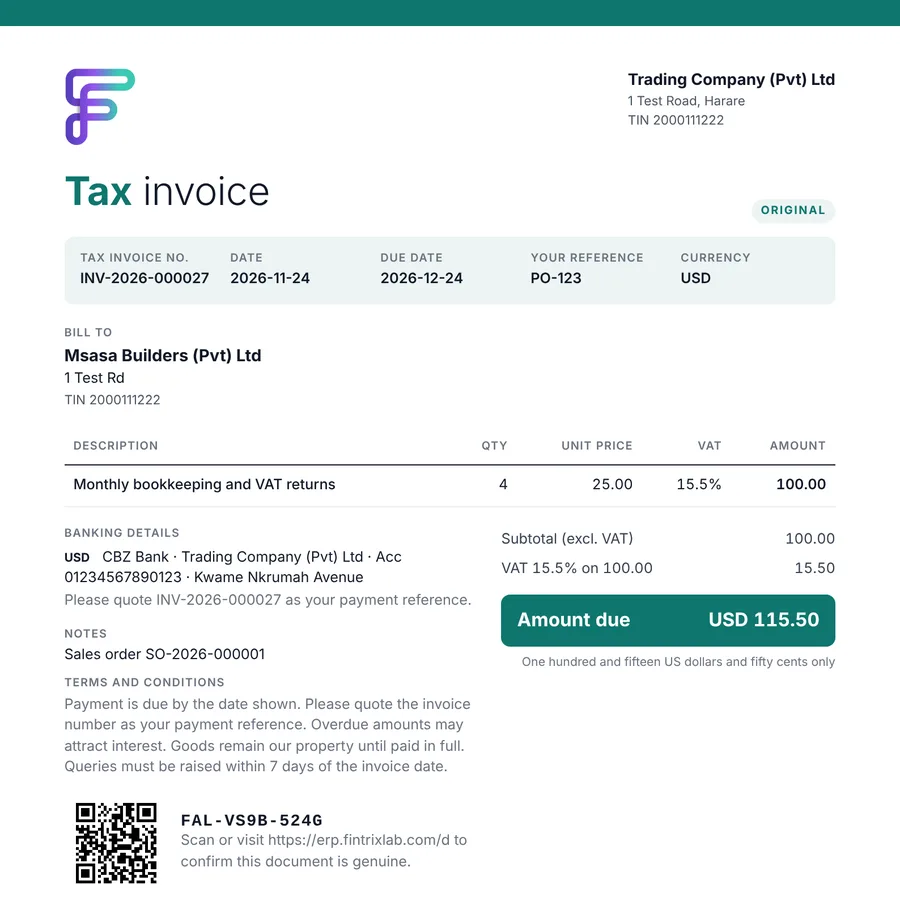
A printed tax invoice with logo, VAT at 15.5%, banking details and a QR verification code

Requisition to payment

Nothing leaves the bank without approval

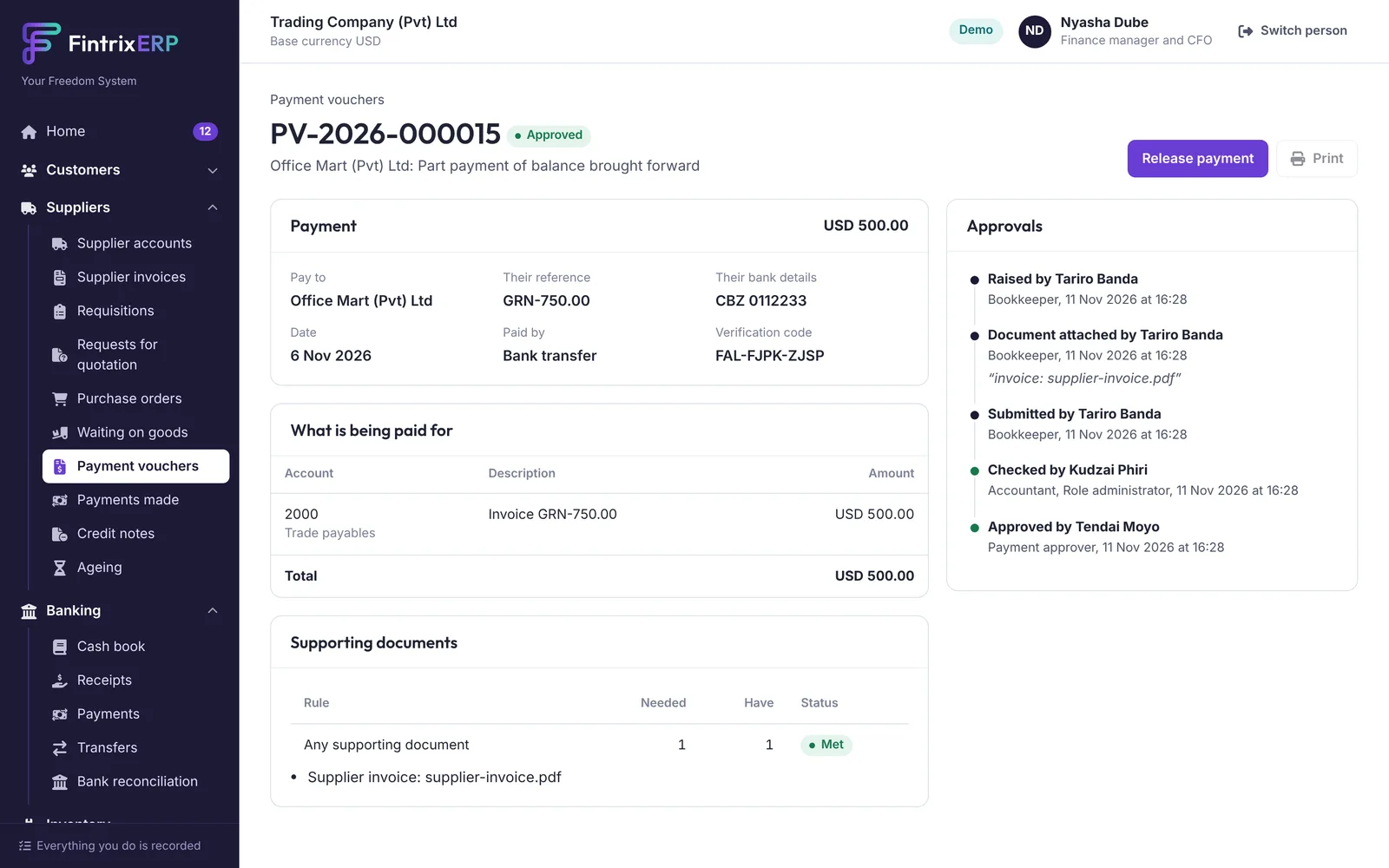
Every payment goes through a voucher with its supporting documents attached, and passes four people before money moves.

Raisedby the bookkeeper
Checkedcoding, budget and documents
Approvedwithin each approver's limit
Paidreleased and posted to the bank
A payment voucher showing who raised, checked and approved it

Banking

Know where every dollar is, every day

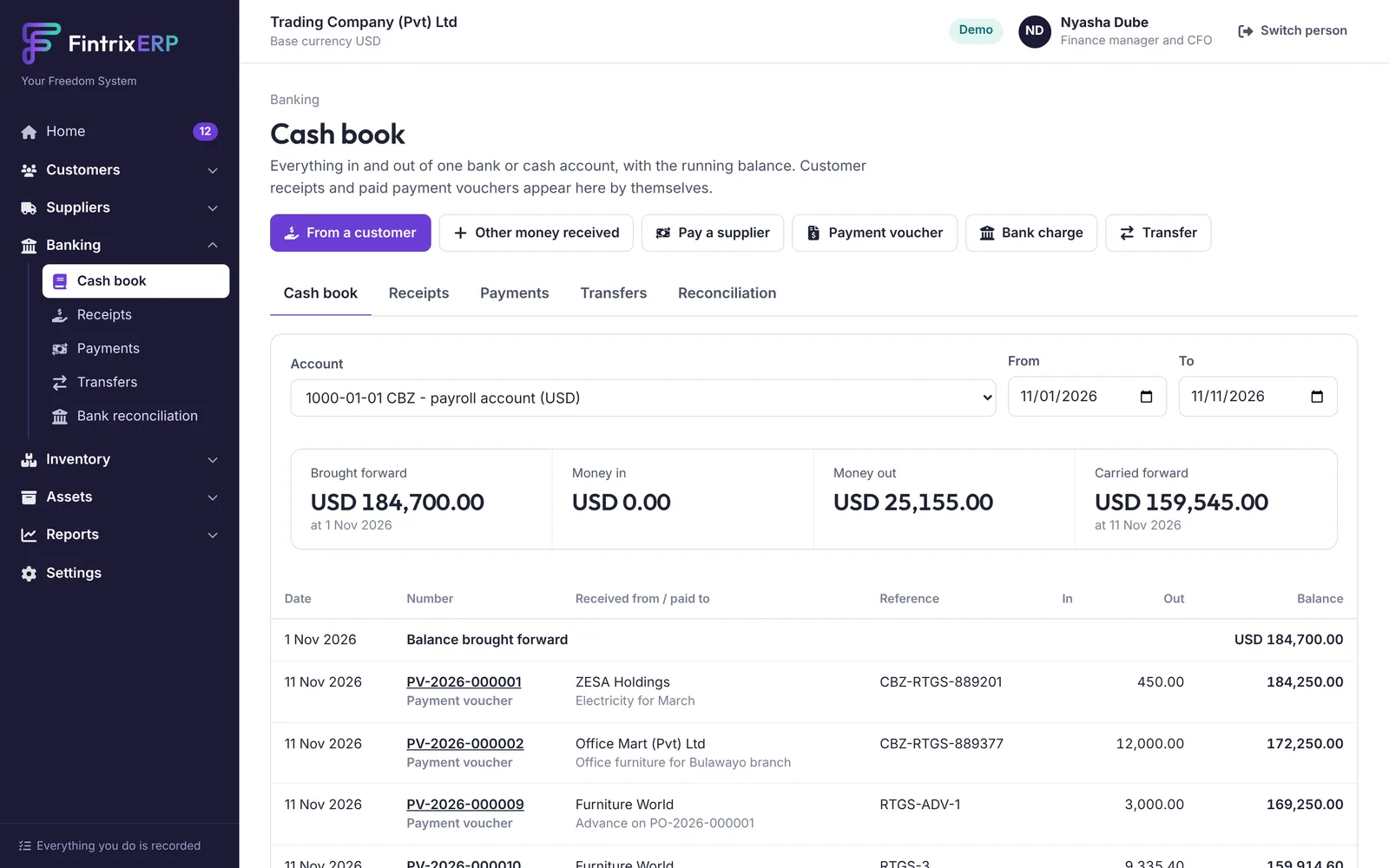
  • A cash book for each bank, cash and mobile money account, with a running balance.
  • Customer receipts and paid vouchers appear by themselves; nothing is entered twice.
  • Transfers between USD and ZiG accounts record both amounts.
  • Import the bank statement, match it, and have someone else approve the reconciliation.
The cash book with money in, money out and a running balance

Inventory

Goods and services, each linked to the right accounts

  • Set each item up as goods or a service, with its sales account; the price can be left blank.
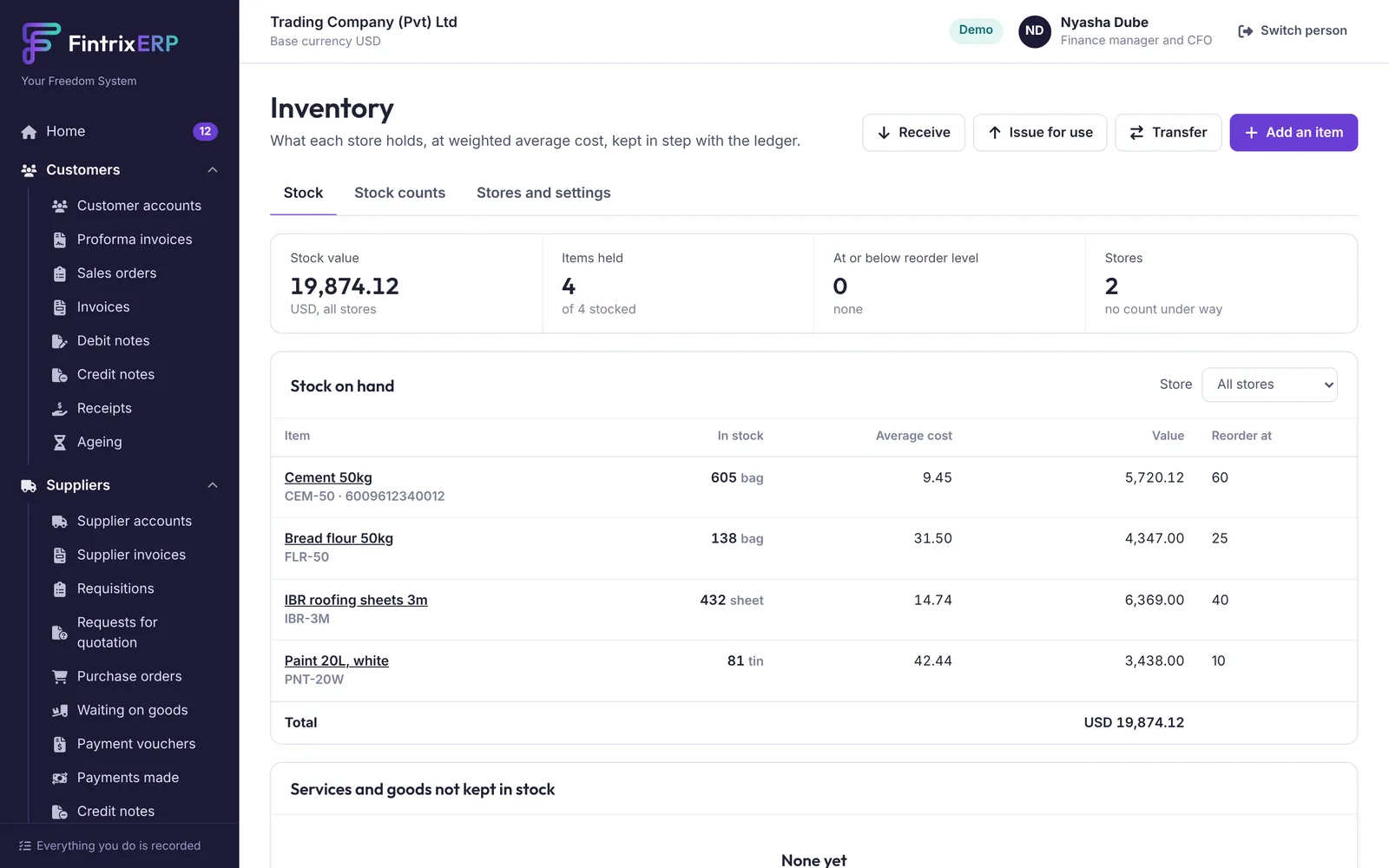
  • Tick Track inventory and the item is kept in stock, with its cost of sales account.
  • Several stores at weighted average cost, with stock counts approved by a second person.
Stock on hand by item with average cost and value

Controls

Controls that protect your business

The system enforces separation of duties, so it does not depend on everyone remembering the policy.

Role-based access

Ready-made roles for owners, finance managers, accountants, bookkeepers, cashiers, storekeepers and auditors.

Two people, not one

Whoever prepares cannot approve: payment vouchers, bank reconciliations and stock counts.

Full audit trail

Every change is recorded with who, what and when. Mistakes are reversed, never deleted.

Genuine documents

A QR verification code on everything you print or email.

Backed up every night

Copied off the server to storage in a second region and kept for 30 days.

Your data, kept apart

Each organisation's records are kept strictly separate, on Microsoft Azure.

Built for Zimbabwe

Made for how businesses here actually work

Two currencies, VAT, ZIMRA tax numbers and mobile money are part of the system from the first day.

USD + ZiGBoth currencies in one set of books, with exchange rates.
15.5%VAT worked out on every line, input and output VAT tracked.
TIN + VATOn customer and supplier records and every tax invoice.
EcoCashMobile money and cash floats handled like any bank account.
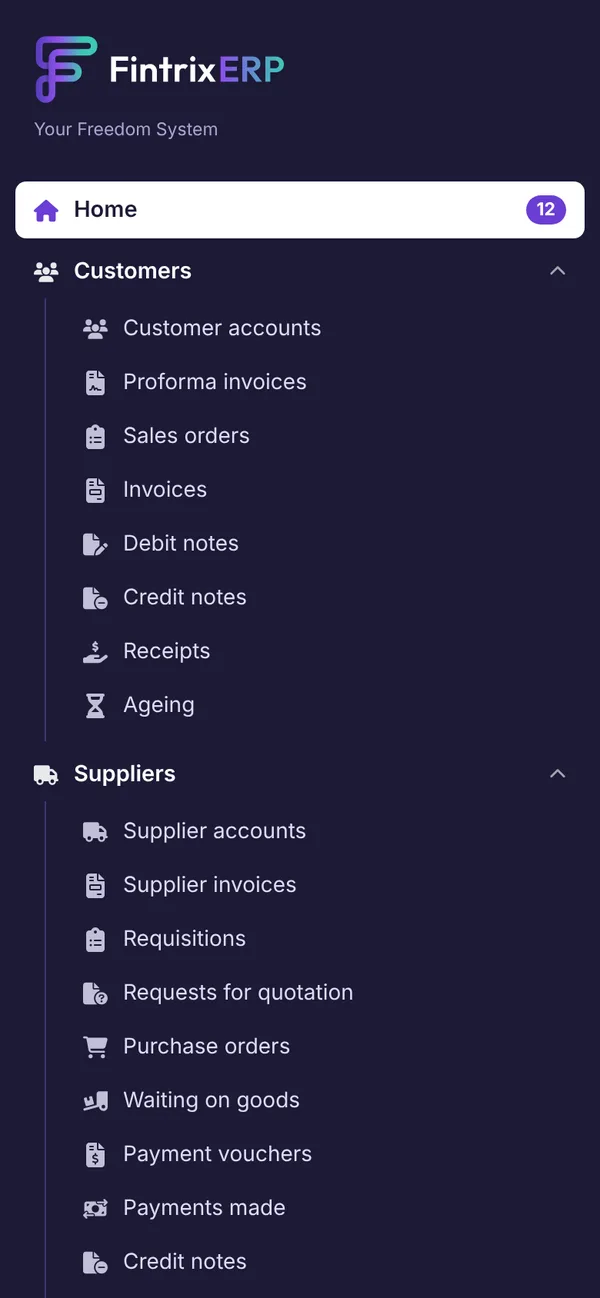
FintrixERP on a phone

Getting started

Up and running in four steps

  1. Set up your organisation

    Chart of accounts, USD and ZiG, your financial year, logo and document numbering.

  2. Bring in your figures

    Opening balances from your last trial balance, and your customer, supplier and item lists.

  3. Invite your team

    Each person signs in with their Microsoft account and is given their roles.

  4. Go live

    Start invoicing, buying and banking, with support while you settle in.

Book a demo

See FintrixERP with your own figures

Tell us a little about your business and we will set up a demonstration using your chart of accounts and a few real invoices.

Book a demo Sign in to FintrixERP